- You will have already run a report, which has found the patients you need to send tasks about to anyone within your SystmOne group. There is a Bitesize Reference article about running reports here.
- We will use an BP report within Welby Pathology as an example. The report name indicates that these patients need a clinical review.

- The report name also gives you the reason the review is needed to use for the patients in this report, so either make a note of the report name, or make sure you can still see the report name in the next step.
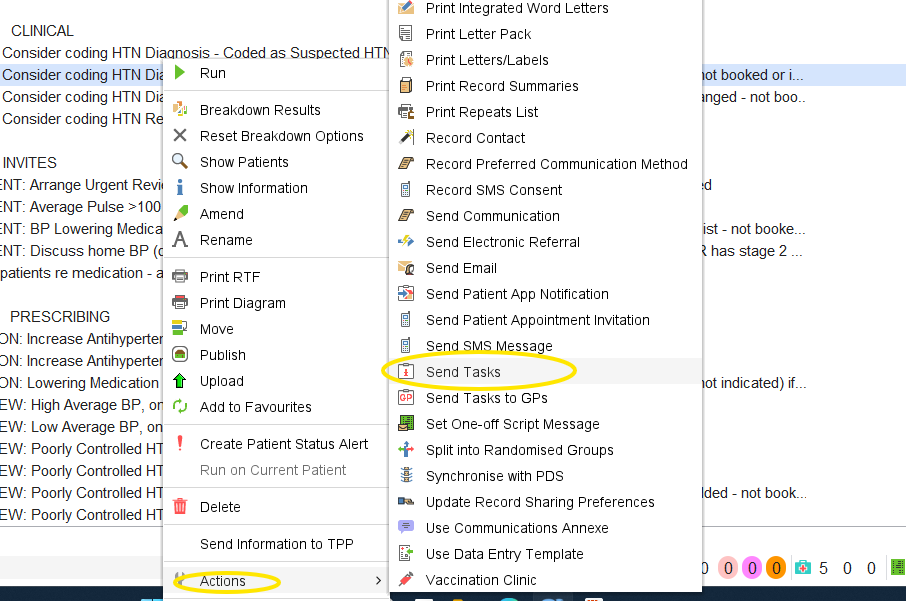
- To carry out an action in SystmOne on all the patients in a report, select the report to highlight it, right click on the report, then choose Actions from the drop down list that appears, then select Send tasks.
- A New task box will appear on the screen, at this point you can either choose a template if you have an appropriate one set up, or you can free type the task into the main body of the task and use the User group or staff member tick boxes to send the tasks to the correct people before sending.
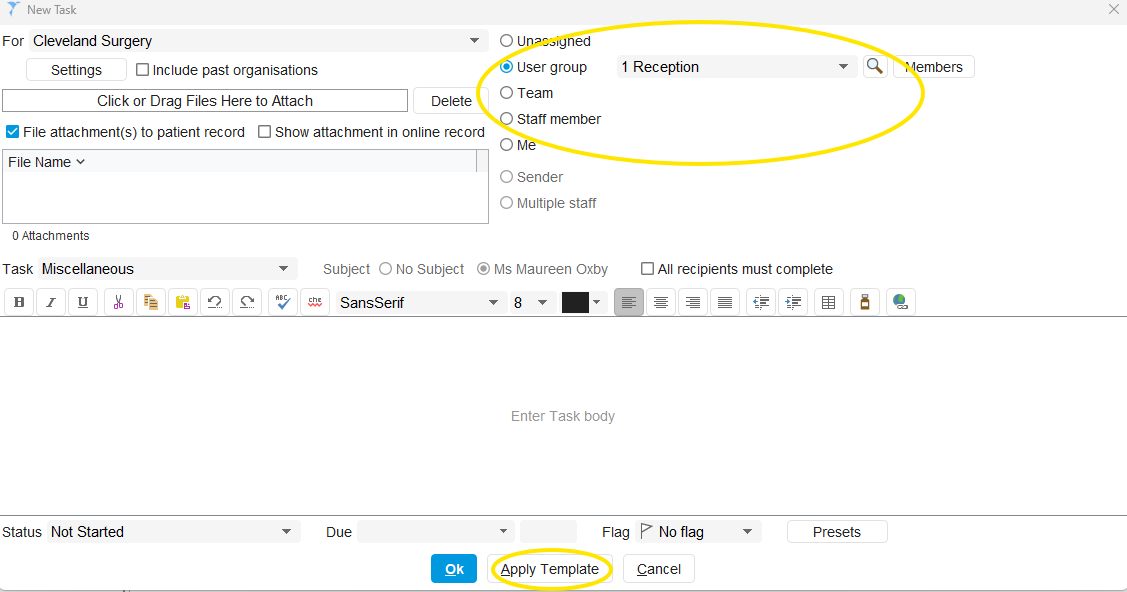
- Once the body of the task has the correct information that the recipient will need, click OK to send the tasks.
Was this article helpful?
That’s Great!
Thank you for your feedback
Sorry! We couldn't be helpful
Thank you for your feedback
Feedback sent
We appreciate your effort and will try to fix the article