We have updated our Recall Invite Planner for the QOF year 2026 / 27. The planner will help you to identify which reports to use when sending out questionnaires and invites for annual review and monitoring. This video talks you through setting it up and using it:
If you prefer written instructions...
1) Setup the Planner up for your Practice
Select an option for each of the drop-downs on the How are your working tab, e.g.
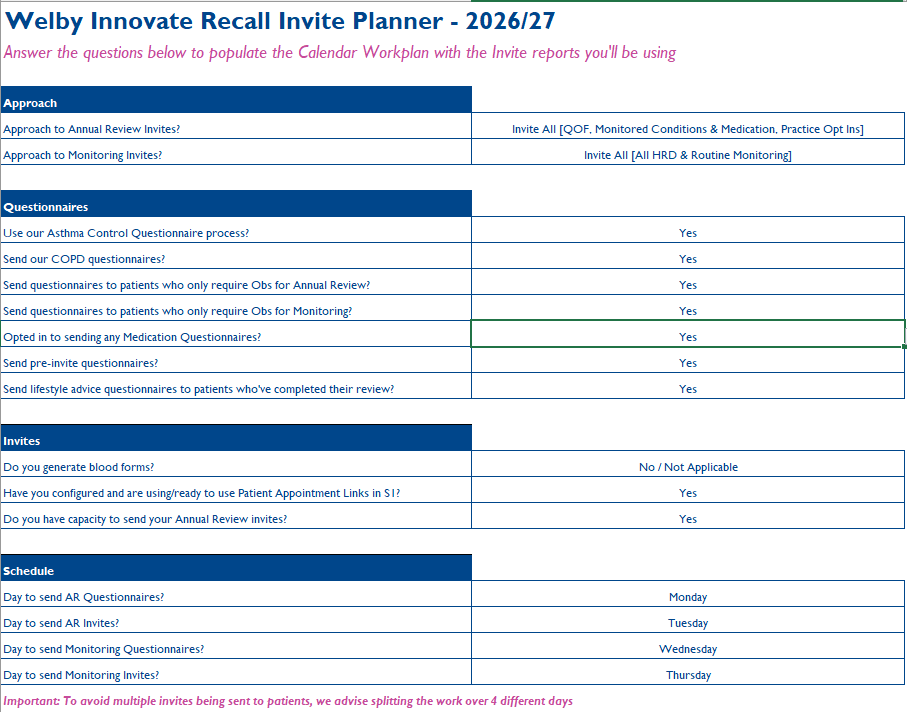
Please note you should allow at least one day between running each section and sending out the questionnaires and invites, to ensure that patients do not get multiple invites on the same day. For example, a patient due their medication monitoring may also be coming up to their annual review. Therefore the system will invite them for the annual review to cover everything, including the monitoring due. If both monitoring and annual review invites were sent on the same day, the patient would get both a monitoring and annual review invitation.
2) Start Using the Invites Workplan
Once you have done this, the 26-27 Calendar tab will give you an Invites Workplan with details of the reports to run in SystmOne.
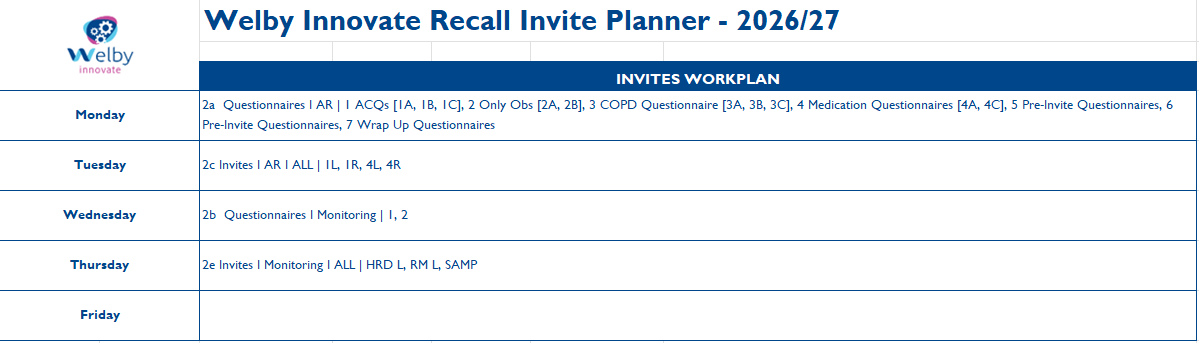
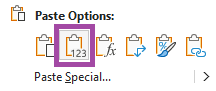
There is a section below the Workplan that highlights the current day in yellow. There is space for you to record that questionnaires / invites have been sent, and add any notes if you need to. If you want to copy and paste the info from the workplan section, paste as values by either using "Ctrl+Shift+V" or right click and select this option:
Download your own copy of the planner below ...
Was this article helpful?
That’s Great!
Thank you for your feedback
Sorry! We couldn't be helpful
Thank you for your feedback
Feedback sent
We appreciate your effort and will try to fix the article