Our system utilises messaging to communicate with patients. Some of these are automated if you opt into those parts of the system. Many of our messages can be quite long because we want to provide patients with high-quality information about the care we're offering.
This can cause issues with messages being split into multiple parts, making them more difficult for patients to read.
The best solution to this is to Send SMS messages that are longer than the character limit as a URL. This will send patients a brief message with a link to access a URL where they can read the full message.
To enable this option...
- Navigate to Organisation Preferences and this page:
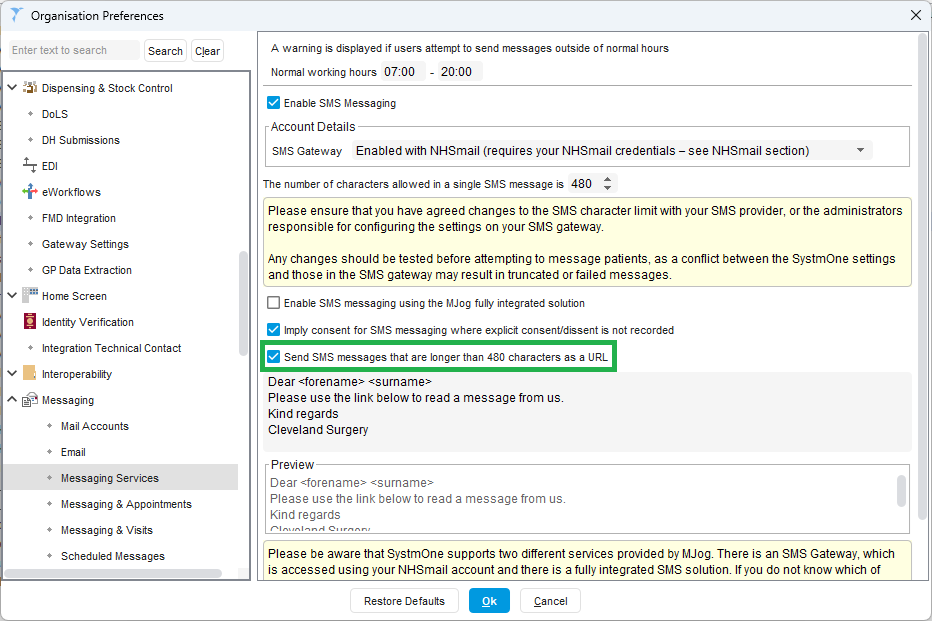
- Tick the box to send messages longer than the character limit as a URL.
- Test your changes using a staff phone number added to a test patient.
Other configuration options to consider:
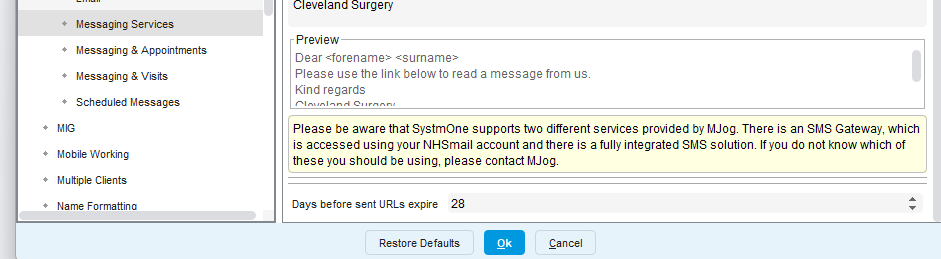
1) You can now configure how long links can be used for. The default is 7 days. We think 28 days is reasonable. Its reduces the likelihood of patients contacting practices because links have expired, but avoids a link being used inappropriately a long time after it was sent. The setting is in the same menu as the screenshot above:
2) Turn off the access code. We're not quite sure what benefit there is in sending an access code in the same message as the link. We've turned it off for our practices and that further saves on characters. You can do that here:
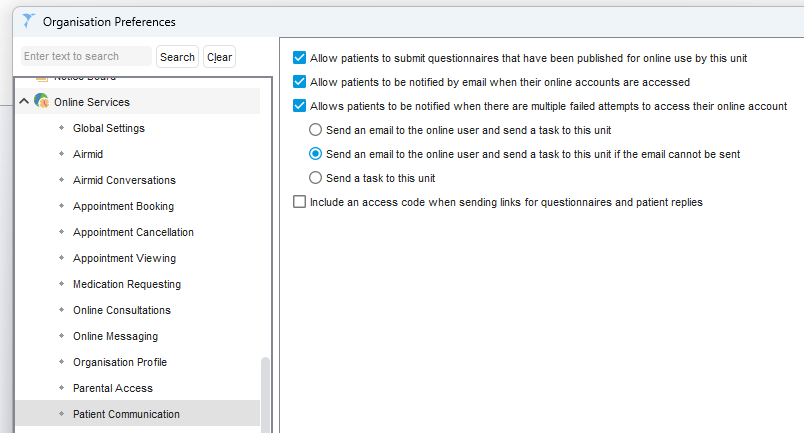
Just untick the option "Include an access code..."
Its also worth looking at how you can increase the use of email, which resolves many of these issues and doesn't cost the NHS anything to send. See the video at the end of this article for more information - How do I increase the use of Email and SMS?
Was this article helpful?
That’s Great!
Thank you for your feedback
Sorry! We couldn't be helpful
Thank you for your feedback
Feedback sent
We appreciate your effort and will try to fix the article